Thursday, June 28, 2012

Summer To Do


I am looking forward to the first day of school. Completed the following things before the first day of school. These should not take more than a few minutes. 

1. Subscribe to class blog. Use the feature on the left called “follow by email” Submit your email address to receive an automated email when new assignments and articles are posted on the class blog. You will need to confirm your subscription to each blog. If you need help with this just let me know. You may prefer using an RSS reader to follow the blog.
2. Make sure I have your preferred email.
3. Accept my invitation to a shared Dropbox folder for convenient way to turn in homework. (Optional but highly reccomended)
4. Review the following posts and complete any necessary steps. 
  • Required Materials- Make sure you come to the first class prepared. 
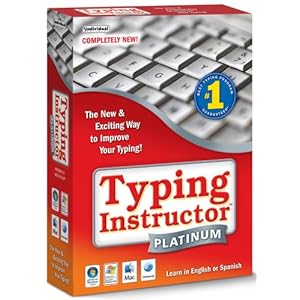
    • Pre-install your typing program
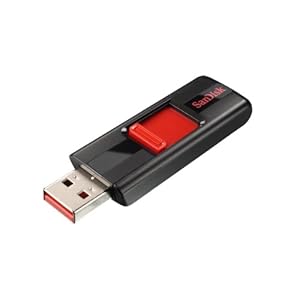
    • Come to class with your USB key every week
    • You may also like to have a small notebook and pencil handy to take notes during class.
  • Extra Credit- Keep your eyes for extra credit opportunities which will sometimes be labeled E.C. throughout the year.
  • Late Work Policy- Make sure you are familiar with the policy. 
  • In Class Activity Rubric- Review what will be expected during in-class activities. 


Looking forward to a great year! 


I am excited to have worked out an agreement with a California University to share with you their study skills program throughout the year on the blog. You will not want to miss out on their great tips, tricks and techniques to make your study time count.

Study Scheduale


Tips for Setting Up a Study Schedule
1. Find a good place to study and organize it.
2. Have all of the necessary study equipment (textbooks, pencils, notes, etc.)
3. Make your study periods fit the length of time you can concentrate effectively.
        Plan for definite periods of study, rest and relaxation. 
        A short, active break (taking a 10-minute walk, for example) every hour or so will keep you alert and             
        relaxed.
4. Use a schedule to achieve your goals. Revise your schedule when your goals change.
5. Eliminate dead hours - odd bits of time in which little is accomplished.
6. List academic tasks according to priorities.
7. Avoid making extremely detailed schedules. It usually just wastes more time.
8. Go to sleep each night and get up every morning about the same time. You'll be more alert.


Academic Skills Center
California Polytechnic State University
used by permission

Required Materials


These are the materials used in this class


Microsoft Office for your PC or Mac. Microsoft Office generally comes pre-installed on a PC

Personal Laptop to bring to class


USB Key 4 GB or over

Extra Credit for Computer Lab


Opportunities to complete extra credit projects will appear periodically throughout the year.


  • Projects are due the next week unless otherwise stated.
  • Projects will be eligible for 10 points unless otherwise stated.
  • Projects will be graded on how well you met the requirements of the projects, quality, and creativity. 
  • Questions about the projects can be directed to me mid-week. 
  • There is no limit to how many different projects a student can complete in the year. However, you can only complete each project once. 
  • Projects have the same due date as other projects. 

Late Work Policy


The late work policy for Computer Lab is as follows.

  • The due date for any electronic assignment is the Tuesday before class.
  • Any electronic work needs to be readable by my computer or it will not be counted as completed.
  • All work has to arrive in my email inbox or dropbox folder before 8:00 PM on the Tuesday it is due. 

  • The due date for paper work is the day of class. 
  • I am not responsible for work that a student forgot to turn in.

  • If homework is one week late a 10% penalty will be applied to the work. 
  • If homework is two weeks late parents will be notified and a 30% penalty will be applied to the work.
  • If homework is three weeks late the homework will not be counted as complete. 
  • These rules apply except for at the end of the semester and if work does not arrive before the grade-book closes work will not be counted as complete.

Thursday, June 7, 2012

Computer Lab I Course Description


Computer Lab I


Description
This course will provide students with the basics of the computer, providing them with skills and techniques to complete course work in other classes. Students will learn typing skills, computer terminology, parts and processing, software programs, and how to safely and responsibly utilize the Internet.
This is a class is designed for students who have a limited computer skills offering students with the tools for future educational need.


Students taking this course will explore
  •  Creation of documents and slideshows
  •  Basic techniques for internet research
  •  Photo editing
  •  Typing and keyboard shortcuts
  •  Various homework assignments like essay, reports, and presentations
  •  Integrating images into documents
  •  Organizing information with graphs and charts
  •  Various other projects


    Objectives
  •  Prepare students to use the computer to fulfill their educational goals
  •  Prepare students to research and use the internet effectively
  •  Prepare students to create various documents, spreadsheets and presentations
  •  Prepare students to become comfortable typists

    Class work (1 hour per week)

    Students will be required to bring a laptop to class in order to complete in-class projects and assignments.
    Students will be introduced to various programs, techniques and methods through

  •  Instructor presentations
  •  Student presentations

  •  Video and audio
  •  Games, quizzes and drills
  •  Review

  •  Weekly hands-on computer activities

Homework (allow 2-3 hours per week)
  •   Research and prepare class presentations and assignments
  •   Complete at-home projects for class and review purposes
  •   Practice typing daily


    Grading Policy
    Grades will be calculated and reported to parents to be used as a tool for measuring progress, motivating, and determining mastery and understanding. Class presentations will be used to stimulate learning. These student presentations will be graded.
  •   Quizzes
  •   Class Participation (includes student presentations, discussions and behavior)
  •   At home assignments


    Required materials
    Microsoft Office
    Typing Instructor Platinum
    Laptop to bring to class USB Key (Flash Drive)


    Course Requirements
  •   Email account (parent or student; checked regularly) 
  •   Internet access (for research and checking assignments on the class blog) 
  •   Microsoft Office (for turning in assignments, outlines, and reports)